 Design Dawn
A GUI editor for Mermaid diagrams
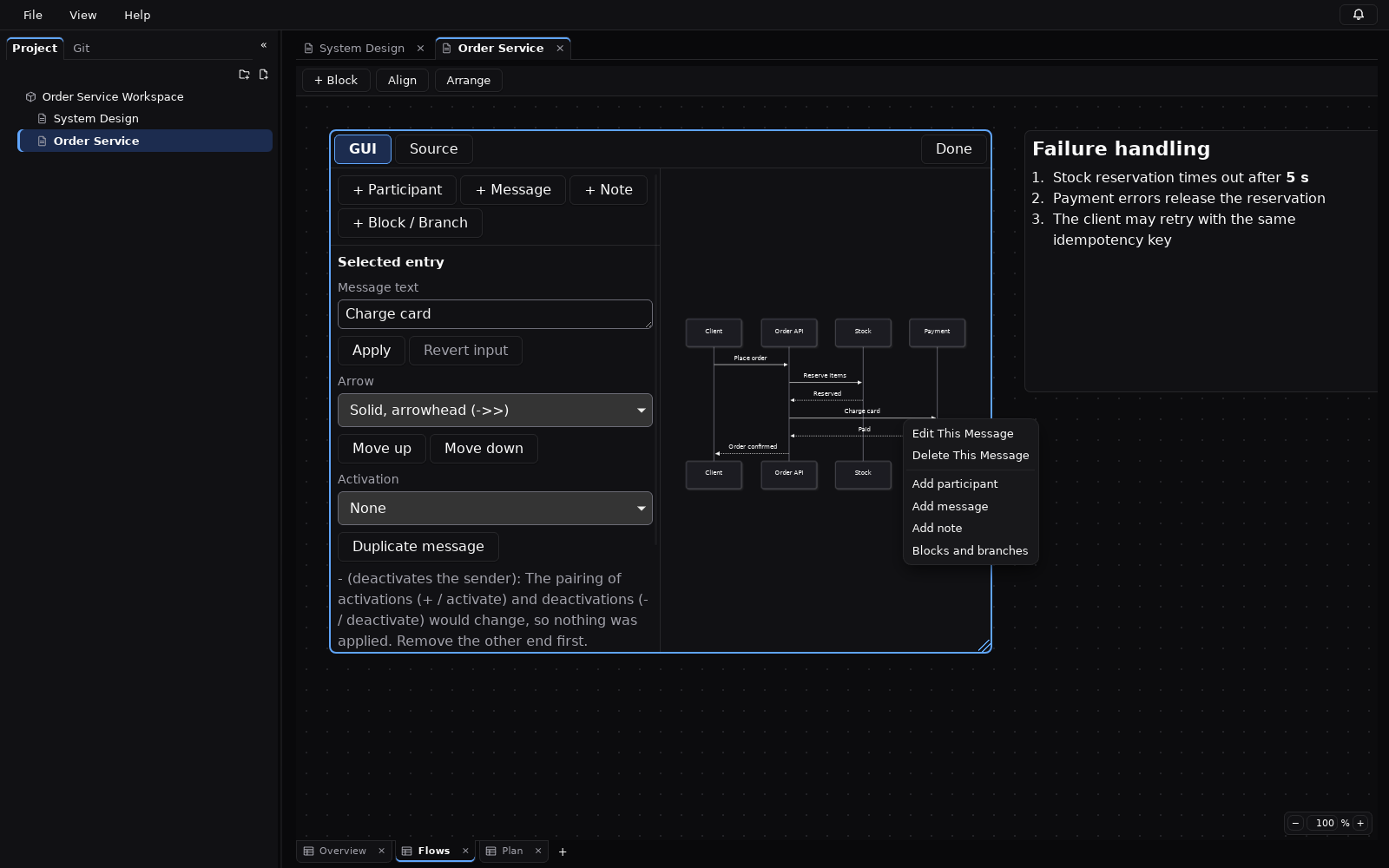
In Design Dawn, a Mermaid block can be edited in two ways: as Source (the Mermaid text, with a live preview) or in a GUI with lists and property fields. The GUI covers four kinds of diagram today; every other kind is edited as Source.
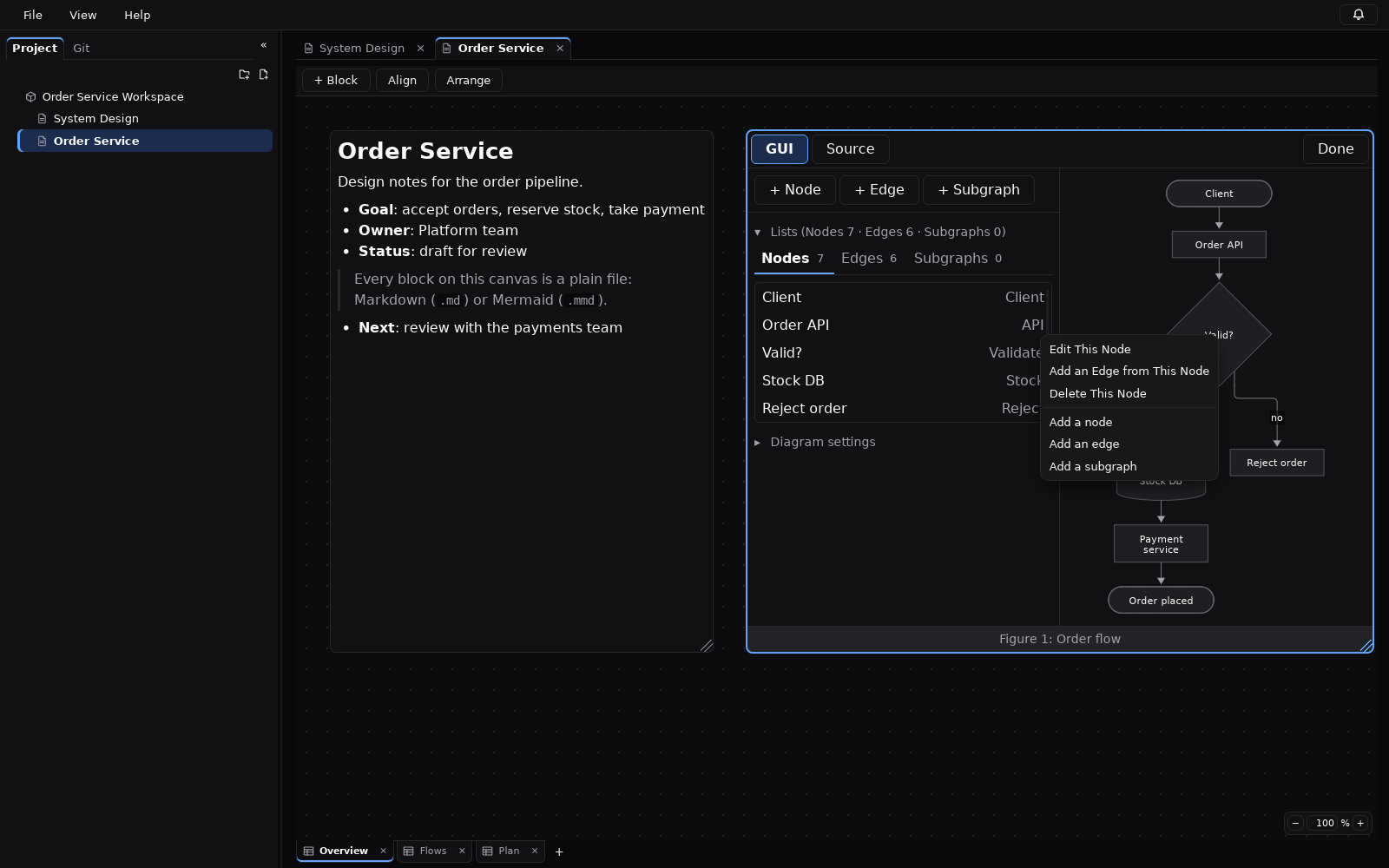
What the GUI can edit
| Diagram | Edited in the GUI |
|---|---|
| Flowchart | Direction (top-down, bottom-up, left-right, right-left); nodes with a label and a shape (rectangle, rounded, diamond, cylinder, hexagon and others); edges with a label and an arrow type; subgraphs and their members. |
| Sequence diagram | Participants and actors; messages; notes; blocks such as loop, opt, alt, par, critical and break with their branches; turning autonumber on or off. |
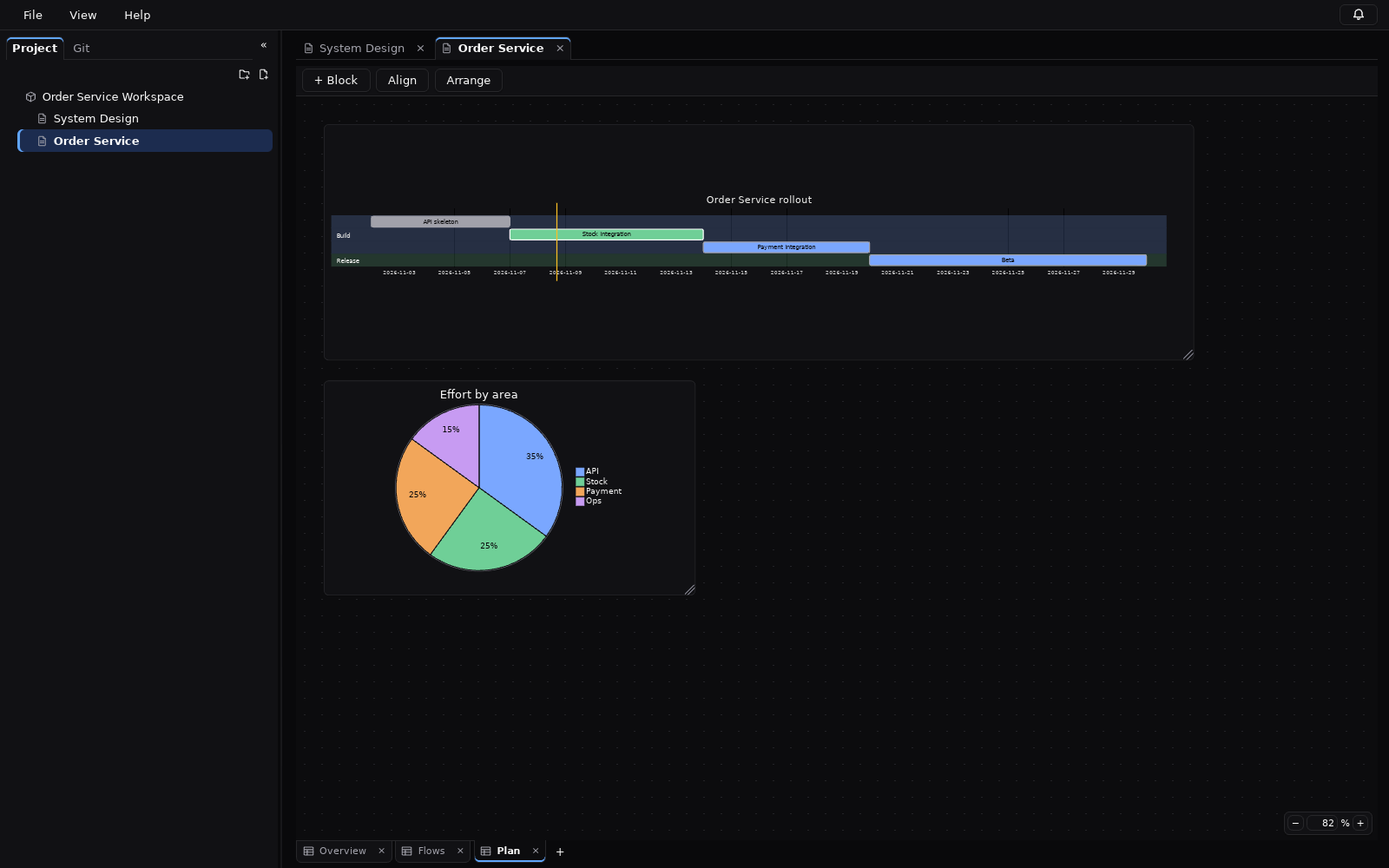
| Gantt chart | Sections; tasks and their state (done, active, crit, milestone); chart settings such as axisFormat and excludes. |
| Pie chart | The title; slices with a label and a value; the order of the slices. |
You can also right-click a shape in the diagram to edit or delete it, and new elements are added in a dialog that shows a preview of the result.
Other diagram types
Class diagrams, state diagrams, ER diagrams and the other diagram types of Mermaid are rendered on the canvas, but they have no GUI editor yet. You edit them as Mermaid source next to a live preview. The “+ Block” menu has starting templates for sequence, Gantt, pie, class, state and ER diagrams.
The Mermaid source stays the source of truth
The GUI does not keep a separate model of your diagram. Each diagram is one .mmd text file, and a GUI edit rewrites only the part of that text it has to. After each edit the app reads the result again and checks that Mermaid can render it. If the check fails, the change is not applied and the source is left as it was. Each GUI edit is one undo step.
Because of this, a diagram written by hand, by a colleague or by an AI tool opens in the same editor, and what the GUI writes is still ordinary Mermaid you can paste anywhere else.
Limits you should know about
- If a diagram contains statements the GUI does not fully understand, the GUI shows it read-only and tells you why; you switch to Source to edit it. The app does not rewrite what it does not understand.
- Some constructs are edited only in Source, for example flowchart edges written as
A & Blists, nodes defined with@{ ... }, Markdown labels, and inline%%{ ... }%%directives. - The Gantt GUI needs a
dateFormatline, in one of:YYYY-MM-DD,YYYY/MM/DD,DD/MM/YYYY,MM/DD/YYYY,YYYY-MM-DD HH:mm. - The GUI handles sources of up to 50,000 characters, and flowcharts of up to 500 edges.
Rendered on your machine
Mermaid is bundled with the app. Diagrams are rendered locally with Mermaid’s strict security level and the resulting SVG is sanitised; rendering uses no network and runs no scripts from the diagram.
Diagrams sit on a free-form canvas next to Markdown notes and images, and can carry a one-line caption. See how the files are stored and tracked with Git.
Try Design Dawn
Free and open source (MIT). The Windows build is a zip file; nothing to sign up for.